
Best POS system for small restaurant: the real cost
Two quotations with the same headline figure can differ by a wide margin once every device is counted. The gap is usually hidden in the words per screen and per terminal.
Home / Blog / A Foodics alternative for small kitchens: what one branch needs
Foodics is built to run brands with branches. A one-branch kitchen needs a shorter list: a counter on the tablet it owns, one menu that sells online, orders on WhatsApp and a flat price.
Anzul Aqeel · Founder & Director, Anunzio International FZC · 7 October 2026 · updated 16 October 2026
A small kitchen looking for a Foodics alternative usually needs less, not more: a counter app on a tablet it owns, one menu that also sells online, orders that reach WhatsApp, and a flat price. Foodics is built to run brands with branches. GetMenu is built for the one-branch kitchen, and this guide shows where each fits.
Foodics is a cloud point of sale from Saudi Arabia, sold across the Gulf. It does the big-brand job well. It runs many branches on one account, with inventory, HR and accounting, loyalty, a long list of connections to other software, and reports a head office can read. Its own site calls it the all-in-one solution for full-service restaurants, and its Capterra listing describes a system built for restaurants, cafes and food trucks.
What it costs depends on the bundle and the hardware. On its UAE pricing page, Foodics lists three bundles billed annually, and the page shows the exact figures. The Starter bundle has the cloud point of sale, menu management, a customer module, dashboards and reports. The Basic bundle adds inventory, table management, timed offers, coupons, delivery zones and gift cards. The Advanced bundle adds loyalty, connections to other software, Foodics Online for a web ordering page, delivery apps and sales dashboards. The page says the final quote is built around the hardware and software you select, so the bundle price is the lowest you pay, not the full bill.
The hardware is the other half. The Foodics 5 Cashier app on the App Store requires iPadOS 15.0 or later, so the counter runs on an iPad. The kitchen display has an Android app that connects to the cashier, and so does the customer display. For a brand opening its fifth branch, that is a sensible, standard kit. For a cafeteria with one counter and a secondhand Android tablet, it means buying new hardware before the first sale.
A one-branch kitchen needs a counter app on devices it owns, one menu for the counter and online, orders that reach WhatsApp, stock that updates and a flat price. That is true for a cafeteria, a small cafe or a cloud kitchen that cooks for one neighbourhood. Most of the list is about the order's journey, not the counter.
It needs a counter app that runs on the tablets and phones it already owns, pairs in a minute and keeps selling if the Wi-Fi drops. It needs one menu, edited once, that sells at the counter, on the QR tables and online. It needs online orders and phone orders to land on the same screen as counter sales, and the kitchen to see them without anybody reading them out. It needs riders to get the building, the unit and a map pin on WhatsApp, because that is where riders are. It needs stock to fall as dishes sell, so the last portion is never sold twice. And it needs a price it can predict: a flat monthly figure, with no commission and no quote built around hardware.
What it does not need is what makes a big system big: HR and payroll, recipe costing across branches, head-office reports, a long list of connections and a contract for each outlet. Those are not faults. They are the price of being built for brands. In the United States, the National Restaurant Association's industry figures say 7 in 10 restaurants are single-unit operations. Tools built for chains are heavy for a single kitchen.
If you came here searching for a sambapos alternative instead, the same list applies. SambaPOS is a Windows POS, a point of sale program that runs on a Windows PC. The question is the same: what your counter needs, and what each package gives you.
Foodics covers many branches and back-office jobs; GetMenu covers one kitchen, online ordering and WhatsApp. The Foodics column uses its own UAE pricing page, its App Store listing, its help centre and its accounting page; the GetMenu column is how it works today.
| Foodics software | GetMenu | |
|---|---|---|
| Counter app | Foodics 5 Cashier on iPad (iPadOS 15 or later); Android apps for the kitchen and customer displays | POS app on iPad, iPhone and Android phones, tablets and POS terminals, paired with a six-character code |
| Printers and drawer | Hardware selected into the quote | ESC/POS receipt and kitchen printers over USB (on the LAN), network, Bluetooth and built-in; the drawer opens through the receipt printer |
| Kitchen tickets | Kitchen display app on Android | Every order on one kitchen ticket: counter, web and WhatsApp, printed at each station |
| Online ordering | Foodics Online, in the Advanced bundle on the UAE page | Included in every plan: your own ordering page with its own web link, no commission |
| Orders to WhatsApp | Not listed in the bundles on the UAE pricing page | Confirmation to the customer, a ticket to the managers' group and a dispatch to the riders' group, the moment the order is placed |
| Inventory | Inventory module from the Basic bundle | One stock list for the counter and the online menu, per dish and option; sold out at zero everywhere |
| Branches and back office | Multi-branch, HR, accounting, sales dashboards | One restaurant per account; no HR, payroll or accounting |
| Payments | Foodics Pay, its payment service, and card connections | Cash or card machine on delivery and at the counter; no online payment |
| Price | Bundles billed annually, plus hardware, on the UAE page | Flat monthly plan in your currency, with a 15-day trial and no card; the POS a yearly add-on |
GetMenu is the ordering page first and the counter second. That is the right way round for a kitchen whose sales arrive by phone, by WhatsApp and from the QR card on the table. The page has its own web link. The customer picks the building and unit number at checkout, can share a map pin, and pays cash or by card machine when the food arrives. The moment the order is placed, the customer gets a WhatsApp confirmation from your number, the managers' group gets a ticket, and the riders' group gets the dispatch. Online and WhatsApp orders show on the POS screen beside counter sales, and phone orders typed in at the counter are sent to riders the same way.
The counter runs on what you have. The GetMenu POS and online ordering app runs on iPad, iPhone and Android, pairs with a six-character code from the dashboard, and gives each staff member a four-digit PIN. ESC/POS printers print receipts and kitchen tickets over USB (on the LAN), network, Bluetooth and built-in, and the cash drawer opens through the receipt printer. Every order is on one kitchen ticket: counter, web and WhatsApp, printed at each station. Choices are printed in bold on the kitchen ticket. A customer's note prints on the ticket too, and an allergy note prints in bold red above the dishes. The kitchen screen is a spare tablet on the wall (an iPad on iPadOS 16 or later, or an Android tablet). If the connection drops, the counter keeps selling and sends the sales when it returns.
One menu does everything. Upload the whole menu from a spreadsheet instead of typing it, add photos, set options with their own prices, and the same menu sells at the counter, on the tables and online. There is one stock list for the counter and the online menu. Stock counts fall as orders come in from any of them, and a dish at zero shows as sold out on all three. None left on the POS also takes the dish off the other POS devices and the online menu. On the Growth and Pro plans, a guest who scans a table's QR code types no address, because the table is the address, and the order opens as that table's tab on the floor plan.
The second order is built in. On the Pro plan, regulars grow into tiers with their own discounts, and the loyalty card keeps updating itself in Apple Wallet or Google Wallet. On Growth and Pro, coupons with exclusions and expiry dates give people a reason to order direct. A review request with your Google link goes out after delivery on every plan. On every monthly plan, invoices carry your TRN once you add it, and the customer can download the PDF without logging in. The plans are flat monthly prices on the pricing page, each with a 15-day trial and no card. The POS is a yearly add-on, with no trial of its own.
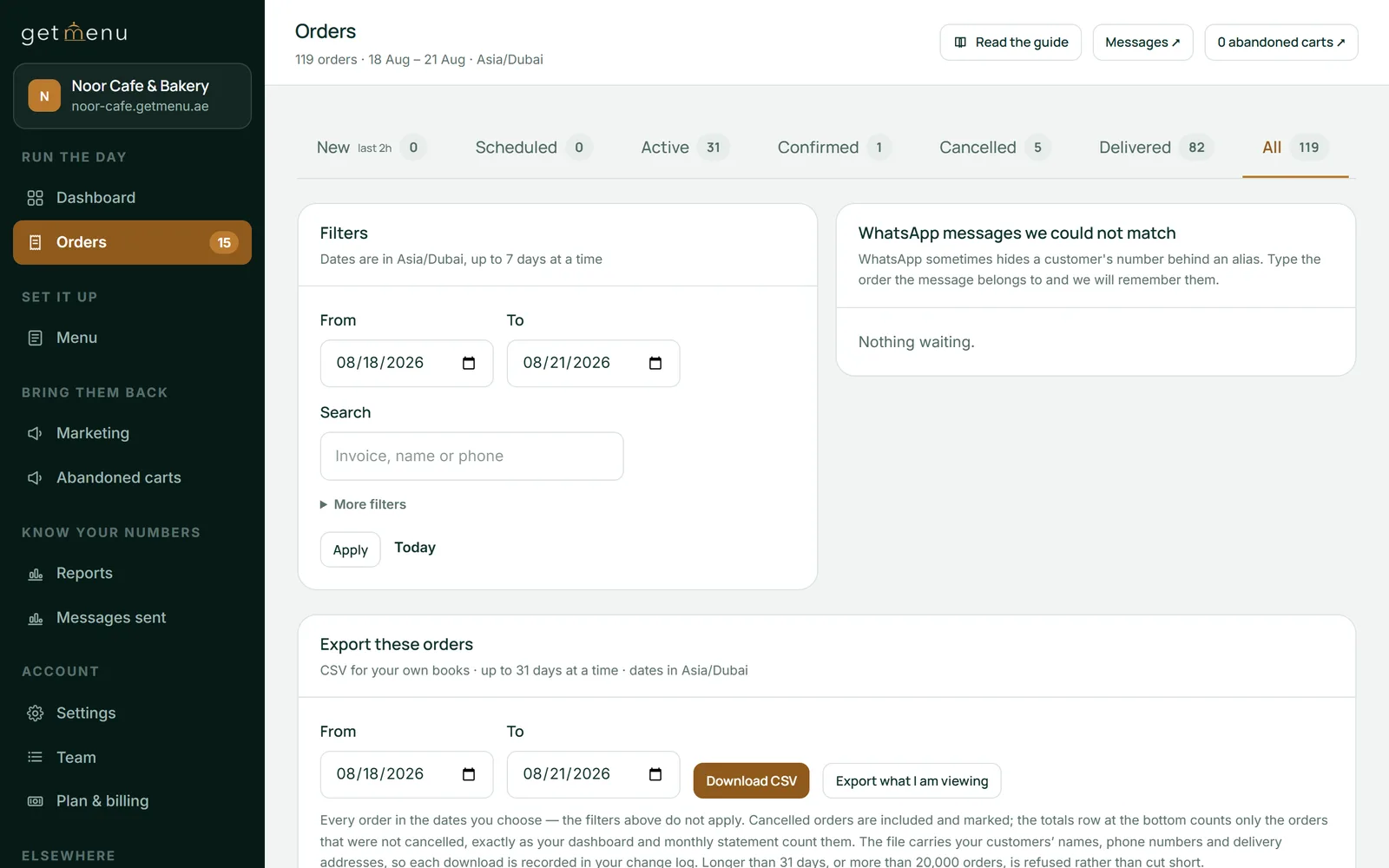
Choose Foodics, or stay on it, when the things it is built for are your things. If you run three branches and need one inventory across all of them, GetMenu does not do that. If you want HR, payroll and accounting inside the same login, GetMenu has none of them. If you need a head-office dashboard across outlets, or a long list of connections to other software, Foodics is built for that. And if your counters are already iPads with the printers Foodics supplied, the hardware is not a reason to switch.
A small kitchen that is honestly on its way to becoming a brand may also be right to start big. Switching later costs a day of menu import and a week of training, whichever way you go. Pick for the next two years, not the next ten. Our Foodics alternatives guide compares the two over one busy hour.
Anzul Aqeel, who founded GetMenu, sold POS software to small businesses for four years. "A one-branch kitchen pays for a chain's back office and opens a third of it. Buy the size you will use this year."
Run the 15-day trial beside your current counter for a week, with real orders. The trial covers the ordering page, the WhatsApp messages and every POS screen for setup. Counter sales start once the yearly POS add-on is on. Day one: upload the menu from a spreadsheet, add photos to the top twenty dishes, pair a tablet and give each staff member a PIN. Day two: link your WhatsApp number, pick the managers' and riders' groups, and import the building list with a fee per building. Day three: put the ordering link in your WhatsApp greeting and a QR card on the counter, and place three orders yourself from your own phone. Days four to seven: add the yearly POS add-on, then run a quiet service with both systems open. Print receipts and kitchen tickets, and let every staff member sign in on their own PIN and ring up ten sales.
Watch three things. How many taps a customer needs to order. Whether the kitchen saw the order without being told. And whether the rider left with the building, the unit and the pin. If all three are yes, the setup works for your kitchen.
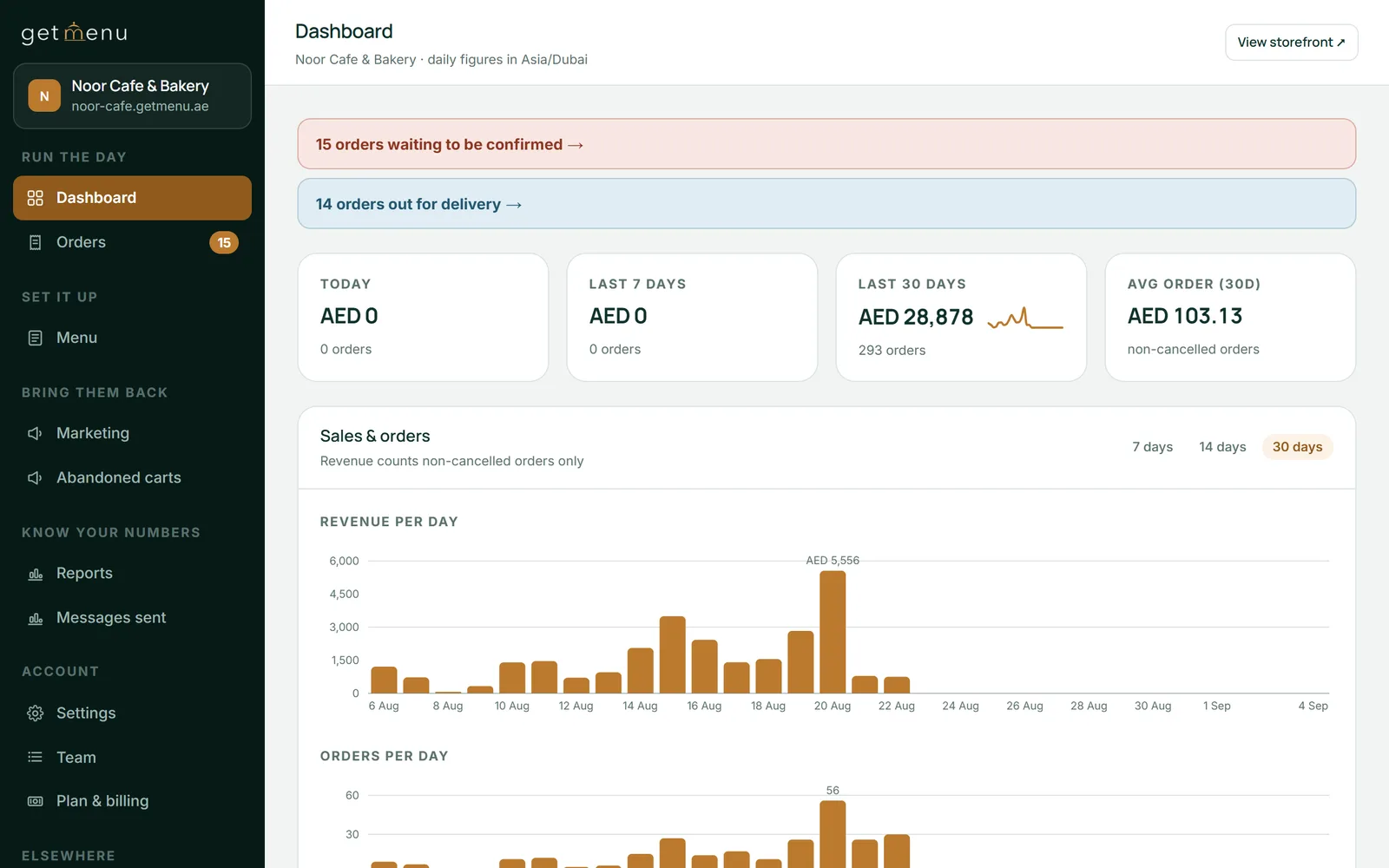
It can be, if the small restaurant wants what Foodics is built for: a full back office with inventory, HR and accounting, many connections to other software, and a path to several branches. A one-branch kitchen that mostly needs a counter on the tablet it owns, online ordering without commission and orders on WhatsApp will pay for modules it does not open. Judge it by the list of what you will use this year.
Its UAE pricing page lists three bundles billed annually, Starter, Basic and Advanced, each adding modules to the one below, with online ordering in the Advanced bundle. The page shows the monthly figure for each. It also says the final quote is built around the hardware and software you select, so ask for the full figure with the iPad, printers and any add-ons before you compare.
The Foodics 5 Cashier app is an iPad app; its App Store listing requires iPadOS 15.0 or later. Foodics' help centre describes Android apps for the kitchen display and the customer display that connect to the cashier, so Android runs the screens around the counter but not the counter itself. The GetMenu POS app runs on Android phones, tablets and POS terminals as well as on iPad and iPhone.
The one that covers the one-branch list without the brand-sized extras: a counter app on the devices you own, one menu for the counter, the tables and online, orders on WhatsApp, stock that falls as dishes sell, and a flat monthly price with no commission. GetMenu was built to that list. Try the ordering page free for 15 days, and add the POS when you are ready to sell at the counter.
Yes, if they run iPadOS 16 or later. Such an iPad runs the GetMenu POS app, paired with a six-character code from your dashboard; an iPad that stops at iPadOS 15 cannot. An iPhone or an Android tablet can join it as a second counter, a kitchen screen or a waiter's device. Receipt and kitchen printers that speak ESC/POS keep printing over USB (on the LAN), network, Bluetooth and built-in, and the cash drawer still opens through the receipt printer.
Yes, and the test is the same as for Foodics. SambaPOS is a Windows counter system, so the question is what happens beyond the counter: your own ordering page, orders on WhatsApp, stock shared between the counter and the page, and loyalty. GetMenu does all of those (loyalty on the Pro plan), with the counter app on Android or iPad instead of a Windows PC, and the menu comes across from a spreadsheet.
Stock, yes: a count per dish and per option, falling as orders come in from the counter, the tables or the page, with sold out at zero everywhere, and a WhatsApp to your managers' group when an online order takes a dish below your alert level. Recipe-level inventory across branches, HR, payroll and accounting, no. GetMenu runs one restaurant per account and leaves the back office to the tools you already use.
Two quotations with the same headline figure can differ by a wide margin once every device is counted. The gap is usually hidden in the words per screen and per terminal.
Toast is not sold in most countries. Here is what a restaurant elsewhere should check in any system it can buy: card payments, devices and how orders reach riders.