
To the customer
Order A-318 is confirmed.
Thank you, James. We will deliver to Riverside Court, unit 12. Use the link below to see your order.
GetMenu is EPOS software for takeaway shops. Counter sales, phone orders and online orders show on one POS screen, on an iPad, iPhone or Android device with a cash drawer and printers. Customers order delivery or collection on your own page, with no commission. From the POS, you send each delivery to your drivers on WhatsApp.
An EPOS system for takeaway shops has a lot to do. It has to serve the queue, take phone orders, send each order to the kitchen, and handle delivery and collection, all at once. In a sit-down restaurant a table can wait a minute, but a takeaway counter on a Friday night cannot.
On a busy night, the person at the counter is taking money, the phone keeps ringing and online orders keep arriving. If the counter, the phone orders and the online orders each live in a different place, someone copies orders by hand. Prices stop matching, a dish sells out on one screen but not the other, and the day's sales never quite add up.
GetMenu keeps it in one place. Counter sales, phone orders and orders from your own page show on one POS screen and reach the kitchen as one ticket. One list gives every order its number, and your dashboard adds up all your sales together.
GetMenu's POS is built for a counter with a queue. The cashier taps the dishes, picks any choice the dish asks for, such as a size, and adds any request, such as "no mayo". Then the cashier takes the payment in cash or on your card machine.
You can drag your busiest dishes onto the first tab, so the cashier finds them fast. If a customer is not ready to pay, the cashier can put the sale aside and serve the next person. Cashiers sign in with a four-digit PIN of their own.
Phone orders go into the same POS. The cashier types each one in, for collection or delivery, and it goes to the kitchen like any other sale.
The POS prints a ticket for each part of the kitchen, such as the grill. You choose if it prints before or after the receipt, so the cooks can start while the customer pays. Special requests are printed in bold on the kitchen ticket. If the customer gives their phone number, the receipt can go to their WhatsApp.
KITCHEN
Printed before the receipt, so the kitchen starts while the customer pays.
GetMenu's online takeaway ordering system is your own ordering page, and you pay no commission on the orders it takes. It opens at your own web address, such as yourtakeaway.getmenu.ae, and customers need no app.
At checkout, customers choose delivery or collection. For delivery, they choose their building or area from your list, type a unit number and, if they want, share their location. You set a delivery fee for each building or area, and you can add a minimum order and free delivery over an amount you choose. For collection, there is no address and no delivery fee. Customers pay in cash or on the card machine when they get the food.
Online orders show on the POS screen beside your counter sales, and the kitchen gets the same ticket. GetMenu works out every price again when the order arrives, so nobody can change a price from their phone. Your receipt can carry a QR code that opens the page, so a walk-in customer can order online next time.
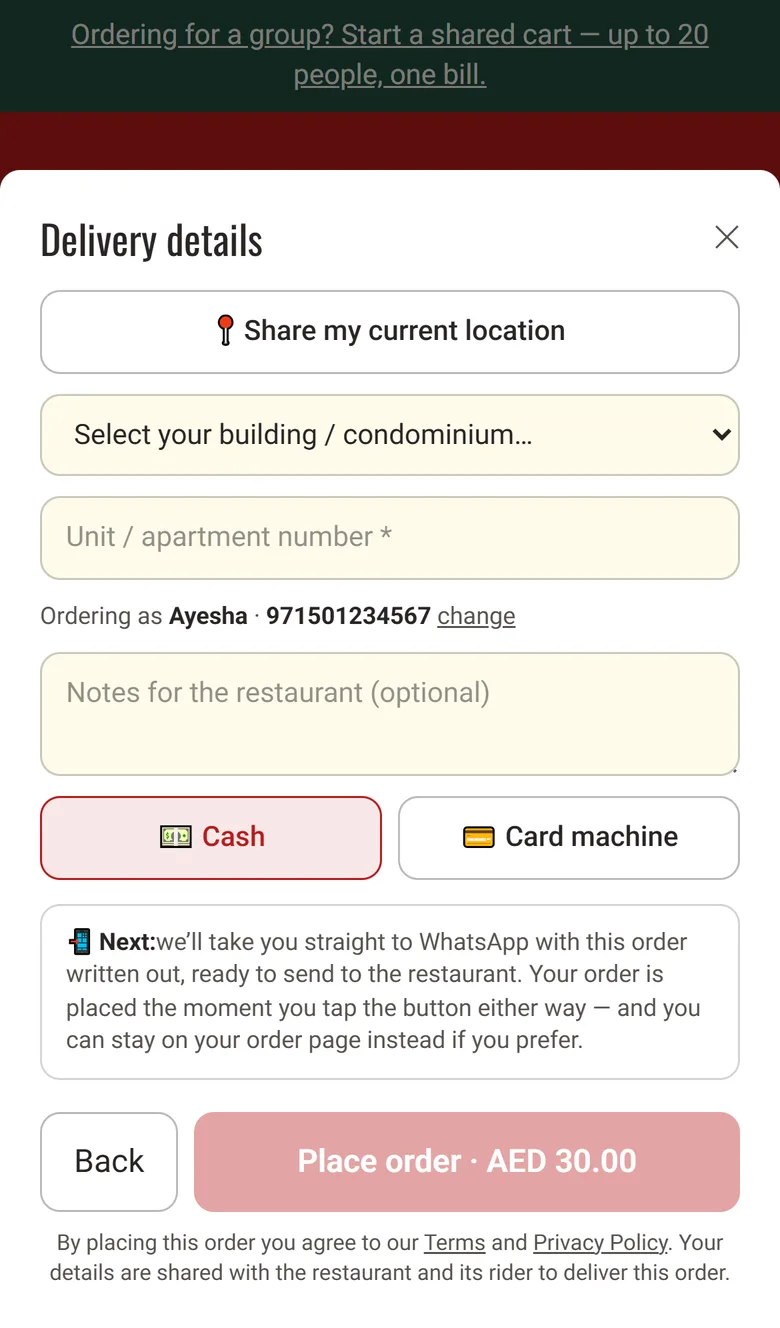
An EPOS system for takeaway delivery has to get the address to the driver without a phone call. For an online order, the ticket goes to your drivers' WhatsApp group (called the riders' group in the dashboard) the moment the order is placed. It shows the building, unit number and customer phone number. It also says whether to collect cash or take the card machine, and how much. A map link is added when the customer shares their location.
For a phone order, the cashier picks the building from your list and chooses a driver on the POS. That driver gets the same ticket on WhatsApp. After the handover, the driver opens the link in the ticket and taps Confirm delivered.
A collection order goes to the customer and the kitchen, but not to your drivers. The ticket says collection, so your team has it ready at the counter. Your managers' group gets every order from your page, and the customer gets a confirmation from your takeaway's own WhatsApp number.
Order A-318 is confirmed.
Thank you, James. We will deliver to Riverside Court, unit 12. Use the link below to see your order.
NEW ORDER A-318
1 × Chicken wrap (no onions) · 2 × Chips · 1 × Cola · Riverside Court, unit 12 · map link
DELIVERY A-318
Riverside Court, unit 12. Map link and customer phone on the ticket. Collect cash on delivery.
Sent from your own WhatsApp number
The GetMenu POS runs on an iPad or iPhone, from the App Store, and on Android phones, tablets and all-in-one POS machines, such as those made by Sunmi and iMin.
The cash drawer is wired to the receipt printer, and it opens when a customer pays in cash. The POS works with USB (on the LAN), network, Bluetooth and built-in printers. A printer can plug in by cable, join your shop's Wi-Fi or network, pair over Bluetooth, or be part of the POS machine itself. Each part of the kitchen can have its own printer, so the grill and the drinks each get their own ticket.
If the internet drops, the POS keeps selling. It keeps each sale on the device and sends it once, never twice, when the connection comes back. A tablet or phone in the kitchen becomes the kitchen screen. A colour on each order shows how long it has waited. There is no limit on devices, because the POS is a yearly add-on with one price for the whole takeaway.
GetMenu keeps one stock count for counter sales, phone orders and your ordering page. Give a dish a stock number. Every sale lowers it, wherever the sale happens. At zero, nobody can order the dish anywhere.
The online checkout refuses a sold-out dish at once, and the menu shows it as sold out. A cancelled order puts its portions back. The counter and the page also share one menu. Edit a price in your dashboard and the ordering page has it straight away, while each POS picks it up the next time it refreshes its menu, when the app opens or when someone taps Look again.
On the orders board, counter sales appear beside online orders with a note that they were paid at the POS. At closing, the cashier counts the drawer. The POS then makes the Z report (the shift summary) and sends it to your managers' WhatsApp group and the owner's email.
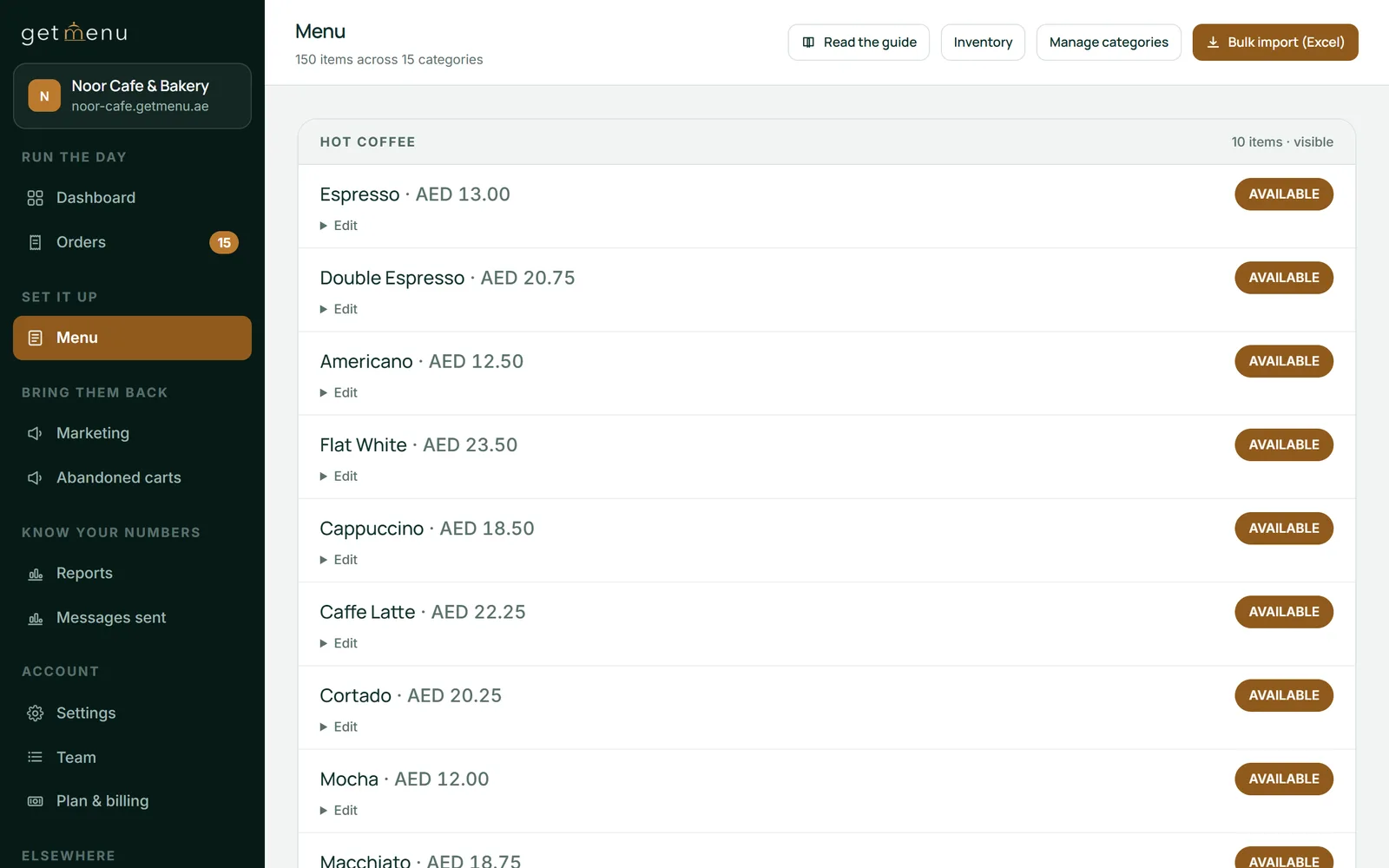
Save a card, then switch on the yearly POS add-on. While your free trial runs, every POS screen is already open, so you can set it all up before you pay.
Settings, then Plan & billing
Add the counter device as a selling POS and the kitchen tablet as a kitchen screen. Each gets a six-character code, which you type into the app on that device. Give each cashier a four-digit PIN.
Settings, then The POS
Drag your busiest dishes onto the first tab, so the cashier finds them without searching.
Settings, then Arranging the POS
Add each building or area you deliver to, with its own delivery fee. Set your minimum order and free delivery amount under Ordering rules.
Settings, then Condominiums & delivery fees
Add each driver's name and phone number, so the cashier can pick the driver for each delivery on the POS.
Settings, then Riders & dispatch groups
Scan the QR code from your WhatsApp phone, then pick your managers' group and your riders' group.
Settings, then WhatsApp connection & groups
There is no real difference. EPOS stands for electronic point of sale, the name many UK takeaways use for the system at the counter. POS means the same thing, and it is the word GetMenu uses in its app and in your dashboard. On this page, EPOS means the GetMenu POS app on an iPad, iPhone or Android device.
The best POS for takeaway work keeps the queue moving and keeps your day on one system. Look for quick counter sales, kitchen tickets and a cash drawer that opens on cash sales. Orders from your own page should arrive in the same system, with one stock list for all of it. With GetMenu, a phone order is typed in at the same POS as a counter sale, and the cashier sends each delivery to a driver on WhatsApp.
No. Your web orders arrive on the POS you already use at the counter, so there is no extra tablet to watch. Each one also reaches your managers' WhatsApp group the moment it is placed. You can check them on the orders board in your dashboard as well, which opens on any phone or computer.
Type it in at the POS while the customer is on the line. Add the dishes and any choices, such as a size or no mayo, and mark it for collection. The kitchen gets the same ticket as for a counter sale, with each request in bold, so the food is ready when the customer walks in. A delivery phone order also needs the building, the unit and a driver.
Yes. Add each building or area you deliver to, and give each one its own flat fee. The customer picks from your list at checkout and sees the fee before they order. You can also set a minimum order, and free delivery once an order reaches an amount you choose. Fees come from your list, not from the distance.
Yes. Every delivery ticket says whether to collect cash or take the card machine, and the amount. So the driver knows before leaving the shop. The driver also sees the building, the unit number and the customer's phone number. When the food is handed over, the driver opens the ticket's link and taps Confirm delivered.
Yes, if you run a stamp card. The cashier adds the customer's phone number to the counter sale, and the stamp lands just as it would for an online order. The customer can keep the card in Apple Wallet or Google Wallet, where it updates itself when a stamp is added. Loyalty comes with some plans only. The pricing page shows which.
Your GetMenu plan pays for the ordering page, the WhatsApp order messages and your dashboard. On top of that, the POS is a yearly add-on, priced once for the whole takeaway no matter how many devices you pair. Orders from your own page carry no commission. The pricing page shows every price in your own currency.
Start with 15 free days and no card. Your ordering page works from the first day, and every POS screen is open for setup. Selling at the counter needs the yearly POS add-on.